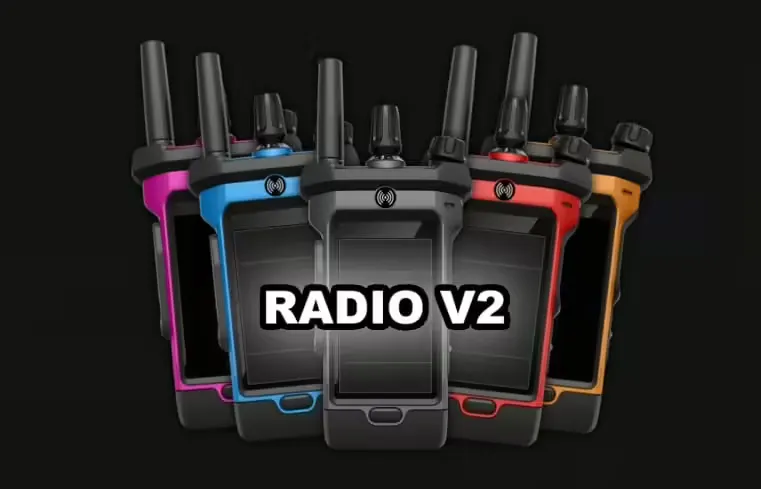
VIP+ Radio V2 is a radio UI for FiveM that runs on ESX, QBCore, the author’s Server Core, or standalone. It works with pma-voice and adds a channel list, callsigns, whitelisted channels and 14 radio colours.
Features
- Move the radio anywhere on the screen in-game
- 14 colours (default, blue, brown, cherry, coral, cyan, green, mint, orange, pink, purple, red, white, yellow), set in the config or changed in-game with
/rcolouror colour-specific radio items - Screens to join channels and to change your displayed radio name and callsign
- Uses Server Core and QBCore callsigns; standalone users set names and callsigns in the radio UI
- Optional list of everyone in your channel that lights up when they talk, toggled with
/rlist, optionally showing yourself - Whitelisted channels by job (ESX/QBCore) or ACE permissions (standalone)
- Custom channel names, for example
LEO RTOandEMT RTO(up to 7 characters) - Mic clicks and radio holding animations, each can be turned off
- Buttons to turn the radio off, switch between light and dark mode and change the volume
- Optional radio item for ESX and QBCore, with inventory icons for every colour
- Optional keybind to open the radio (
Uby default) - Uses the ESX, QBCore or Server Core notifications automatically
Requirements
- pma-voice (the author links v6.6.2)
- rp-radio (the author links 2.2.1)
- ESX, QBCore, Server Core or no framework
Installation
- Install pma-voice and rp-radio first.
- Copy the radio resource into your resources folder and ensure it in your server.cfg.
- Set
Frameworkin the config (es_extended,qb-core,scully_coreornone), then your colours, channel names, whitelisted channels and ACE permissions.



