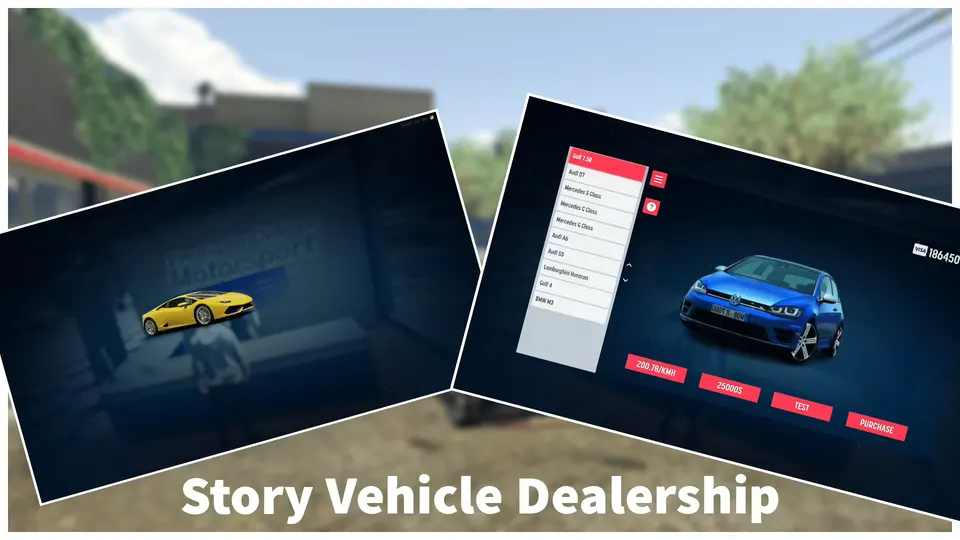
A vehicle dealership script for ESX servers. Players open the dealership through qtarget on a seller ped, browse the catalog in an NUI, test drive a car and buy it with cash.
Features
- Dealership NUI opened through qtarget on the seller ped or with the
/saloncommand, with the vehicle list grouped by class and showing price and estimated top speed - Seller ped and map blip, with coordinates, label, sprite, color and scale set in
Config.PedSellerandConfig.Blip - Test drive of
Config.TestTimeseconds (60 by default) at its own spawn point, with a countdown;/closetestends it early, then the vehicle is removed and the player returns to the previous position - Purchase takes the price from the
moneyitem in ox_inventory, spawns the car atConfig.VehSpawnPointwith a generated plate and saves it to the ESXowned_vehiclestable - Everything is set in
shared/config.lua: vehicle list (price, label, spawn name, class, image), spawn points, test drive time, seller ped, blip and notification texts - Plain Lua source, editable
Requirements
- ESX (
es_extended) oxmysqlox_inventoryqtarget- Players need internet access: the NUI loads its libraries from public CDNs and the example vehicle images from imgur
Installation
- Copy the folder
story_vehicledealershipinto your resources directory. No SQL import is needed, it uses the existingowned_vehiclestable. - Make sure
es_extended,oxmysql,ox_inventoryandqtargetstart before it, then addensure story_vehicledealershipto your server.cfg. - Edit
shared/config.lua. The example list uses the spawn namesgolf75randblista, replace them with vehicles that exist on your server.



