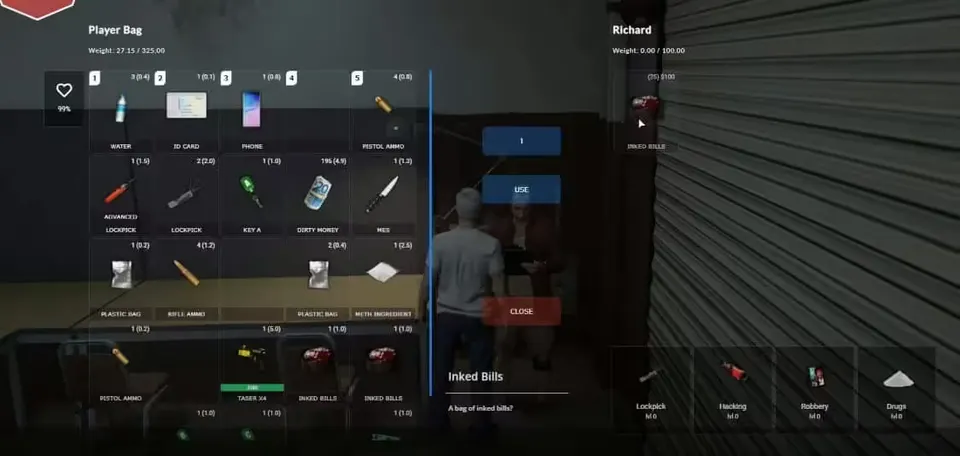
QBCore Framework NoPixel 3.0 Server (QB v4) is a complete FiveM server base on QBCore, styled after NoPixel 3.0: 196 resources, a server.cfg and the database in one ZIP of about 3.6 GB. This server is not on ESX. It suits owners who want a full city with heists, drug systems and many jobs as a starting point.
Features
- All in English
- Coke, weed, meth and LSD
- Gun heist, Humane Labs robbery, jewellery robbery, Pacific Bank heist, bank truck and ATM robbery
- Chicken job, drug dealers and oxy runs
- Citizen jobs including pizza delivery, mechanic, taxi, tow, trucker, garbage, lumberjack, mining, fishing, hunting, fruit picking, news and Burger Shot
- Housing, a bank system, car rentals and a vehicle shop
- Third eye interaction (
qb-eye), radial menu and radio - Police with alerts, a judge job and a prison
- Phone (
qb-phone), garages, vehicle keys, tuning and a skill and level system - Minigames for drilling, safecracking, hacking and fingerprints, a fight ring, lottery and casino games
What’s included
- Server folder
qbcorev4withserver.cfg,resources.cfg,qbcorev4.sqland aREADME.md resources/sorted into[Cores],[Scripts],[Maps],[Assets],[Vehicles],[MiniGames],[Standalone]and[Voice]- Maps such as a police station, prison, city hall, Pillbox, Weazel News, a jewellery store, Burger Shot and Digital Den
- A Windows FXServer build in
server/; use a current artifact from Cfx.re instead
The lists above come from the resource names in the archive’s file list, not from a gameplay test.
Requirements
- A FiveM server with your own Cfx.re license key and MySQL or MariaDB (the server uses
ghmattimysql) - About 4 GB of free disk space and a tool that extracts ZIP archives, for example 7-Zip
Installation
- Extract the archive on a test machine first and read the included
README.md. - Import
qbcorev4.sqlinto a new database and set your connection, license key and admin permissions inserver.cfg. - Start the server privately, check the console for errors and remove resources you don’t need before inviting players.
For technical problems, see the refund and returns policy.



