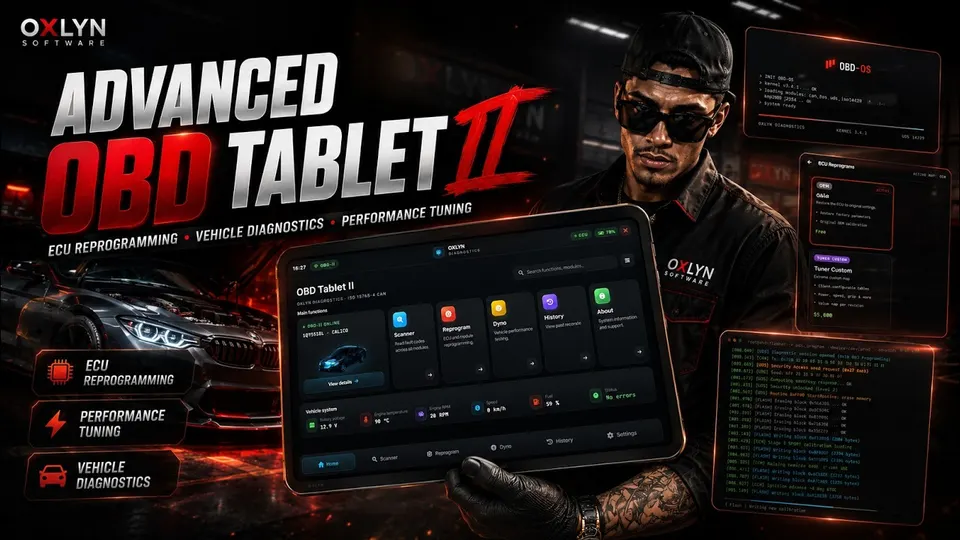
OXLYN OBD Tablet II is a vehicle diagnostics tablet for FiveM by OXLYN Software. It opens as a tablet interface and reads out the vehicle the player is sitting in: faults, service records and reprogram options, with a dyno mode for tuning work.
What’s included
- Vehicle diagnostics: faults and readings for the car the player is in, plus a service history.
- A dyno section for tuning work, configured in
Config.Dyno. - Reprogram maps: admin-defined map entries that a player can trigger from the tablet, configured in
Config.Reprograms. - Job restrictions per vehicle or class in
Config.JobRestriction, plus a command list inConfig.Command. - Money and banking handled through bridges: cash and banking are auto-detected and can be overridden in
Config.CashSystemandConfig.Banking. - Inventory integration,
ox_inventoryby default, with a custom inventory bridge inConfig.CustomInventoryand a tablet item name inConfig.Item. - English, Portuguese, Spanish and French locale files, branding and notification type in
Config.
Requirements and setup
- Needs
oxmysql: the resource installs its own tables (oxlyn_obdtablet_reprogramsandoxlyn_obdtablet_history) on first start. - Framework: ESX Legacy, QBCore or QBox is detected at runtime by the bridge in
shared/bridges/framework.lua. - Inventory:
ox_inventoryby default; other systems need the custom inventory bridge filled in. - Cash and banking are detected automatically; set them by hand if your setup is unusual.
Installation
- Copy the
oxlyn-obdtabletresource into your server’sresourcesfolder and addensure oxlyn-obdtabletto the server configuration. - Start
oxmysqlbefore the resource so the tables can be installed. - Review
config.lua: locale, item name, commands, job restrictions, dyno, reprogram maps, money and banking. - Give players the tablet item from your inventory, then test the detection and the charge path in game before going live.



