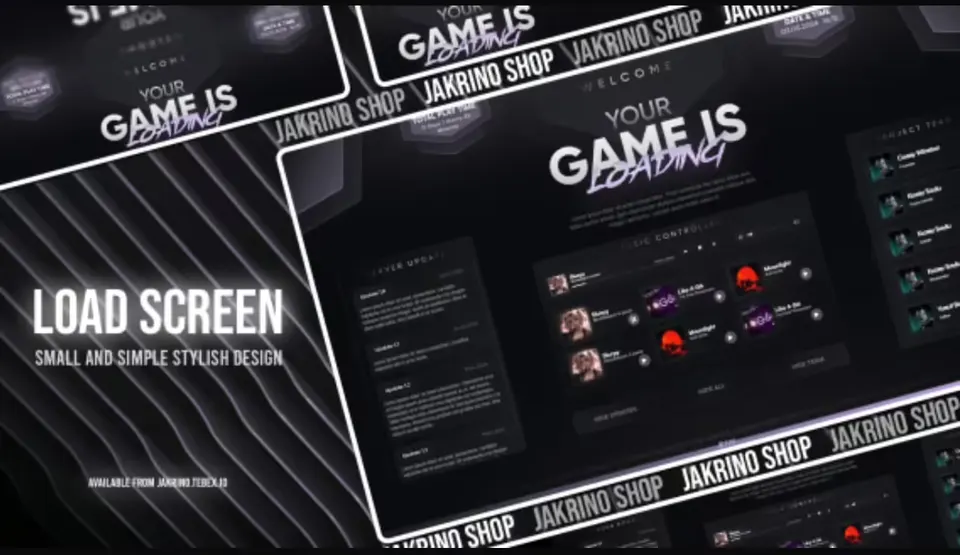
Jakrino Loading Screen (version 1.1) is a loading screen for FiveM servers. It is easy to configure and has four sections: Playtime, Albums, Updates and Project Team.
Features
- Playtime section, with a small server script and a
database.jsonfile for the data - Albums: music player with play/pause, next/previous track and volume; three example tracks with cover images are included in
config/albums/ - Updates section for your server news
- Project Team section for your staff (example image in
config/team/) - Background slideshow (
config/slide/) and a trailer video (config/video/trailer.webm) - Texts in
config/translations.js, settings inconfig/config.js - Mouse cursor enabled on the loading screen
Installation
- Place the
Jakrino_Load_Screenfolder in your resources and addensure Jakrino_Load_Screento yourserver.cfg. - Edit
config/config.jsandconfig/translations.js, then replace the example music, backgrounds, video and team image with your own files.
No framework is needed. The HTML, JavaScript, config and server files are open to edit.



