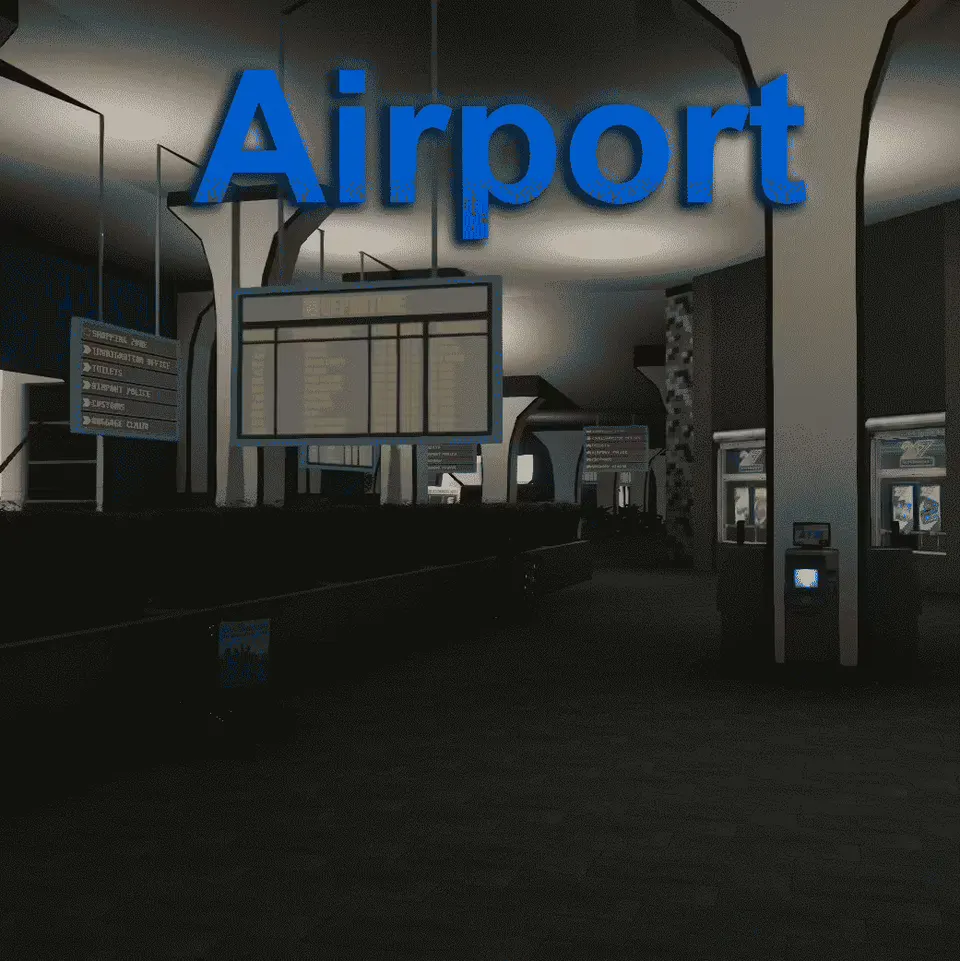
An airport interior for FiveM in MLO style. The map has one floor with waiting areas for passengers, a small police station, toilets for women and men, a 24/7 store, a clothing store, a bank and four offices.
What’s included
- Streamed MLO files for the airport interior (
slb2k11_airport) with separate interiors for the 24/7 store, bank and clothing store - Models for the shell, signs, windows, luggage area, bathrooms, office and police area
- Collision files and edited versions of some original airport map files (
ap1_*), including occlusion
This is a map-only resource. No airport job, check-in system, luggage logic or police gameplay is included; add those systems separately if the location needs interactive functions.
Installation
- Put the
airportfolder into your resources folder. - Add
start airport(orensure airport) to your server.cfg and restart the server.
Because the map comes from an older resource format (__resource.lua) and replaces some original airport map files, check placement, collisions and compatibility with other airport maps before enabling it on an existing server.



