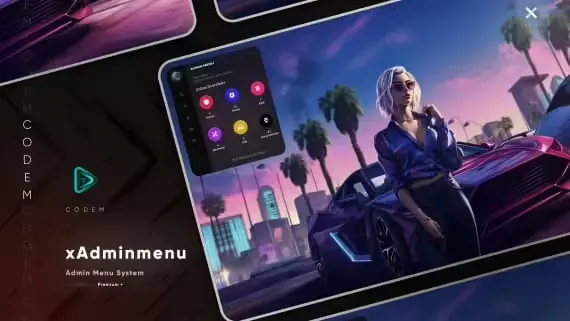
CodeM Admin Menu (codem-adminmenu) is an in-game admin panel for ESX and QBCore. Admins open it with F11 and handle players, vehicles, bans and server settings from one NUI, with a permission set per admin.
Features
- Player actions: info (general, inventory, vehicles, warns), revive, heal, kill, freeze, spectate, go to, bring, kick, ban, send PM, take screenshot
- Inventory and economy: open or clear a player’s inventory, give items, add money, change job, give the clothing menu
- Bans from 1 hour to permanent, offline bans and a banned-players list
- Admin tools: noclip, godmode, invisible, player names, armor, announcements, kick all, admin duty with an admin outfit
- Developer tools: show coords, copy vector3/vector4/XYZ/heading, and a dev laser that shows model hash, entity and network IDs, owner, health, coords and speed of objects, peds and vehicles
- Vehicles: spawn, repair, refuel, add a vehicle to a player’s garage with keys
- Server: weather, time, clear area, clear vehicles; online counts for admins, police, EMS and mechanics
- About 45 single permissions, granted per admin in the menu
Requirements
- ESX (Legacy or older) or QBCore, set in
Config.Framework - oxmysql, ghmattimysql or mysql-async
- Inventory: qb-inventory, ESX, ox_inventory, codem-inventory or qs-inventory
- screenshot-basic for the screenshot action
Setup
- Copy the
codem-adminmenufolder into yourresourcesfolder. - Import
insert-me.sql(tablecodem_adminmenu). - Set framework, SQL, inventory, clothing menu, fuel and vehicle-key scripts in
config/config.lua. - Add
ensure codem-adminmenuto yourserver.cfgafter your framework and your database resource. The manifest loads@oxmysql/lib/MySQL.lua; formysql-async, switch the line infxmanifest.luaas its comments say. - Give the first admin access with the
setadmincommand (admin only), then grant permissions in the menu. - Optional: put your own Discord bot token in
editable/server_editable.luato show Discord avatars. The download ships it empty.



