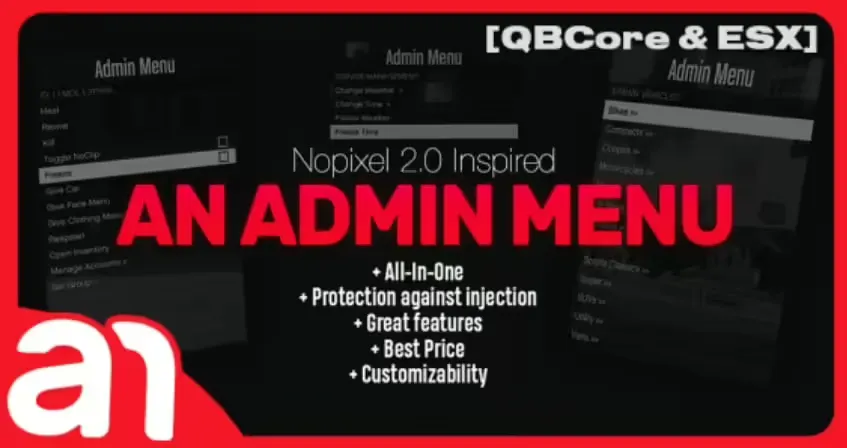
AN Admin Menu (an_adminmenu) by aymannajim is an admin menu for QBCore and ESX. You switch the framework with one setting in config.lua and open the menu with /adminmenu.
Features
- Works with QBCore or ESX (ESX Legacy and ESX 1.2).
- Access by permission groups (
dev,god,adminby default); separate groups that may change other players’ groups. - Your own list of permission groups with labels shown in the menu.
- Money accounts for cash, bank and crypto (QBCore) or cash, bank and black money (ESX).
- Vehicle and weapon lists in separate files (
vehicles.lua,weapons.lua). - Weather and time control through vSync (ESX) or qb-weathersync (QBCore).
- Notifications through QBCore, ESX, mythic_notify or your own function.
- Discord webhook logs with your own name, colour and logo.
- Built-in check that bans (or kicks) players when Lua injection is detected; connect your own ban system in
sv_config.lua. - Command name and maximum menu items per page are configurable.
Requirements
- QBCore or ESX
- an_dialogBox
- vSync (ESX, for weather and time) or qb-weathersync (QBCore)
Installation
- Download an_dialogBox and put it into your
resourcesfolder (remove-mainfrom the folder name). - Copy
an_adminmenuinto yourresourcesfolder, set the framework and groups inconfig.luaand your webhook and ban function inserver/sv_config.lua. - Add
ensure an_dialogBoxandensure an_adminmenuto your server config.
Test staff roles, commands and event permissions on a staging server before granting production access.



